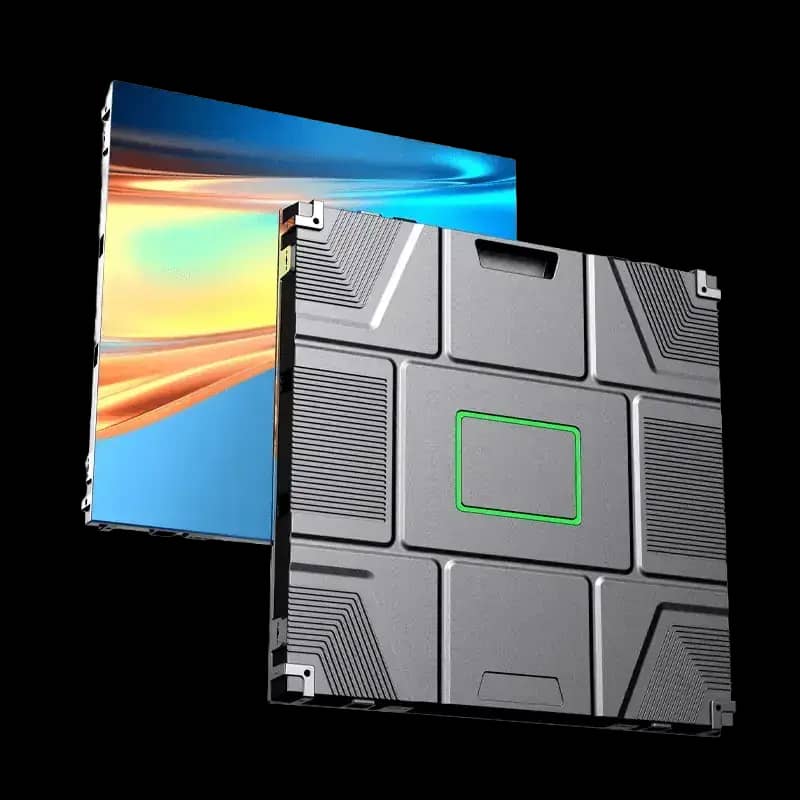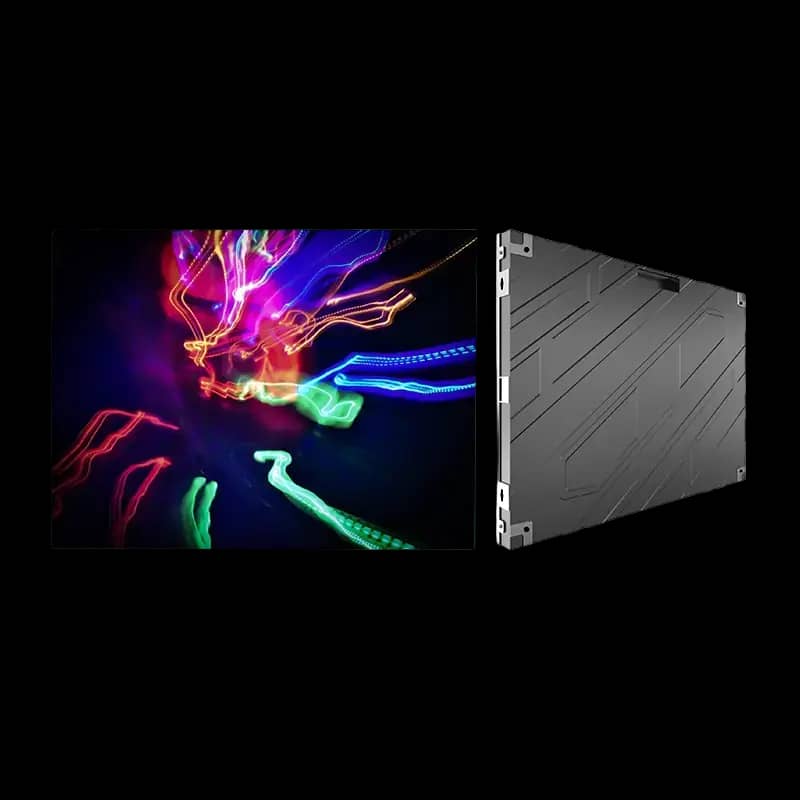
640x480 Indoor LED Display Cabinet
৳ 13,200
An LED Display Cabinet is the engineered body of an LED screen. It holds the LED modules, power supplies, receiving cards, hub boards, signal cables, and service access that make a complete LED Display work reliably. This page explains LED Display Cabinet price in Bangladesh from an engineering and procurement point of view, not only as a product list.
Use this guide if you are comparing Indoor LED Cabinet, Outdoor LED Cabinet, Die Cast Aluminum LED Cabinet, Rental LED Cabinet, 640x480 LED Cabinet, 640x640 LED Cabinet, or fixed installation cabinet options for Bangladesh projects. Arozex Technologies supports cabinet selection, module matching, controller planning, installation, testing, and long-term service.
An LED Display Cabinet is the structural unit that turns individual LED modules into a professional screen. The cabinet provides the frame, mounting points, module alignment, power supply space, receiving card position, hub board access, internal cable routing, ventilation path, and service method. In a finished LED screen, many cabinets are aligned together to create one seamless display surface.
Buyers often focus first on pixel pitch and display price, but cabinet quality controls much of the real user experience. A cabinet that is not flat, square, rigid, or serviceable can create visible seams, module gaps, difficult repairs, overheating, water risk, unstable signal routing, and higher maintenance cost. That is why Arozex evaluates the cabinet alongside the LED module, LED controller, power supply, and installation structure.
In Bangladesh, cabinet selection should also consider humidity, dust, building access, installation height, transport handling, generator-backed power, service manpower, and whether the display is a fixed installation or event screen. A cabinet that looks acceptable in a quotation may not be the best cabinet for the site if service access, mounting depth, or weather exposure is ignored.
A cabinet also decides how accurately the final screen can be built. When cabinets are manufactured with consistent depth, square corners, stable locking points, and repeatable module placement, the installer can build a flat screen faster and with fewer adjustments. When cabinet quality is poor, the installation team spends extra time correcting gaps, shimming frames, adjusting module edges, and hiding alignment problems that should have been solved at fabrication level.
For procurement teams, this is why the cabinet should be specified clearly in the bill of quantity. Do not only write LED display cabinet. State whether the cabinet is indoor or outdoor, front service or rear service, die cast aluminum or steel, cabinet size, module compatibility, maintenance method, and whether power supply and receiving card mounting are included. Clear cabinet language helps compare supplier offers fairly.
Cabinet quality matters because LED displays are modular. Every small cabinet tolerance becomes visible when repeated across a large wall. If the cabinet is twisted, too flexible, poorly finished, or difficult to level, the final display can show shadow lines between cabinets even when the LED modules are good. Good cabinet design protects image quality, installation speed, maintenance safety, and long-term reliability.
Cabinet type should follow the installation environment. An indoor cabinet is usually slim and precise. An outdoor cabinet must be stronger and weather aware. A rental cabinet needs fast locking and repeated handling. A fixed installation cabinet may prioritize structure, service access, and cost efficiency over rapid assembly.
Material selection affects cabinet weight, precision, corrosion behavior, transport risk, thermal performance, and LED Display Cabinet price. The best material is not the same for every project. A premium indoor video wall may justify die cast aluminum, while a large outdoor fixed billboard may use a stronger steel or iron structure if the finishing and service access are correct.
| Material | Strengths | Trade-Offs | Best Fit |
|---|---|---|---|
| Die Cast Aluminum | Lightweight, precise, clean alignment, premium handling, good for fine-pitch and rental use. | Usually higher cost than basic iron or steel cabinets. | Premium indoor walls, rental cabinets, corporate displays, close-view installations. |
| Iron Cabinet | Cost-effective and structurally practical for many fixed installations. | Needs good coating, corrosion protection, and careful fabrication quality. | Budget-conscious fixed screens, some outdoor projects, large format displays. |
| Steel Cabinet | Strong, rigid, and suitable for larger outdoor structures when engineered properly. | Heavier and may require more installation labor and stronger support structure. | Outdoor LED cabinets, billboard frames, public display installations. |
Cabinet size affects screen aspect ratio, module count, cabinet weight, port mapping, installation labor, and service access. Standard sizes also help buyers compare quotations more fairly. A cabinet price that looks cheaper may not be cheaper after calculating how many cabinets, modules, power supplies, and receiving cards are required for the same final screen size.
The most common mistake is comparing cabinet price per piece without checking the final cabinet count. For example, a larger cabinet may reduce the number of cabinets but increase handling weight and structure demand. A smaller cabinet may be easier to align in tight rooms but may require more receiving card planning and more installation time. The correct comparison is total installed cabinet system cost, not only unit price.
| Cabinet Size | Common Use | Planning Note |
|---|---|---|
| 640x480 | Indoor fixed displays, fine-pitch walls, corporate and retail projects. | Useful when the screen needs a clean indoor aspect ratio and manageable cabinet handling. |
| 640x640 | Outdoor displays, fixed commercial screens, public display projects. | Square format simplifies larger grids and is common for outdoor LED cabinet planning. |
| 500x500 | Rental LED cabinet, stage displays, event screens. | Fast handling and modular stage layout, often in die cast aluminum construction. |
| 500x1000 | Rental and event screens where taller cabinet format speeds assembly. | Reduces cabinet count for certain stage walls but needs careful stacking and locking. |
| 960x960 | Large outdoor fixed screens and billboard-style displays. | Can reduce cabinet quantity but increases handling weight and requires proper structure. |
LED Display Cabinet price is not determined by cabinet size alone. Two cabinets with the same external dimensions can have different prices because of material, casting precision, finishing, service method, waterproofing, power layout, and accessory quality. A cabinet for a premium indoor boardroom display needs better mechanical tolerance than a basic long-distance outdoor sign. A rental cabinet needs stronger handling hardware than a fixed cabinet that will not move after installation.
In Bangladesh, the final price also depends on project logistics. A cabinet installed on a ground-floor showroom wall has a different cost profile from a rooftop billboard, flyover-facing screen, factory gate display, or temporary event structure. Transport, lifting, scaffolding, installation height, electrical routing, and after-sales access can all change the real installed cost. This is why Arozex separates cabinet product price from total project price during technical consultation.
| Price Factor | How It Changes Cost | Buyer Advice |
|---|---|---|
| Material | Die cast aluminum normally costs more than basic iron or steel, but it can reduce alignment labor and handling difficulty. | Choose by required precision, not only material name. |
| Service method | Front-service cabinet designs may cost more because module access and cabinet tolerance must be more controlled. | Use front service when rear access is limited or impossible. |
| Outdoor protection | Outdoor cabinets need better coating, cable protection, drainage, ventilation, and weather-aware construction. | Do not compare outdoor and indoor cabinets as if they are the same product. |
| Cabinet quantity | The number of cabinets affects receiving cards, power supplies, cables, structure, installation time, and service planning. | Compare full screen bill of materials, not only per-cabinet price. |
| Installation complexity | Height, structure, wall condition, access, and cable route can raise the installed cabinet system cost. | Request site survey before approving final quotation. |
A practical budget should include spare parts. For long-term commercial projects, keep spare LED modules, a compatible power supply, a receiving card, and cabinet hardware such as locks or service tools. Spare planning is especially important for outdoor displays and rental screens because downtime is visible to the public or event audience. The cheapest cabinet package is rarely the best value if it leaves the owner without serviceable parts.
A cabinet is not an empty box. It is a working electrical and mechanical system. The cabinet must hold parts securely while keeping them accessible for service. Before selecting a cabinet, confirm how the module, power supply, receiving card, controller connection, and hub board will be installed and maintained.
Service method is one of the most important cabinet decisions. Front-service cabinets allow technicians to remove modules from the front of the screen, which is useful when the display is mounted against a wall or inside a tight interior. Rear-service cabinets need access behind the display, which can be practical for outdoor billboards, stage screens, and installations with a maintenance walkway.
| Service Type | Advantages | Limitations | Recommended Use |
|---|---|---|---|
| Front Service | Needs less rear clearance, clean for indoor walls, useful for premium fixed installations. | May require specific modules, magnets, tools, and more careful front handling. | Boardrooms, retail walls, lobbies, control rooms, wall-mounted indoor screens. |
| Rear Service | Easy access to power supplies, receiving cards, internal wiring, and rear doors. | Needs rear clearance or service platform. | Outdoor screens, billboards, rental walls, stages, and accessible fixed structures. |
| Factor | Indoor LED Cabinet | Outdoor LED Cabinet |
|---|---|---|
| Main priority | Flatness, slim depth, fine-pitch support, quiet operation. | Weather protection, strength, ventilation, corrosion resistance. |
| Brightness context | Usually supports lower brightness modules for close viewing. | Supports high-brightness modules for daylight visibility. |
| Service design | Often front service where rear access is limited. | Often rear service or protected service walkway. |
| Material choice | Die cast aluminum or slim fixed cabinet is common. | Steel, iron, or outdoor-rated die cast designs depending on project. |
| Best resource | Indoor LED Display planning | Outdoor LED Display planning |
Start by defining the screen environment, not the cabinet model. The right cabinet for a shopping mall video wall may be wrong for a rooftop billboard. The right rental cabinet for an event company may be too expensive for a fixed school auditorium. Arozex normally reviews site photos, screen size, closest viewing distance, pixel pitch, structure, service access, and content workflow before recommending cabinet type.
| Step | Decision | Reason |
|---|---|---|
| 1 | Confirm indoor, outdoor, rental, or fixed use. | Environment defines material, service access, brightness, and weather requirements. |
| 2 | Calculate final screen size and aspect ratio. | Cabinet format affects cabinet count, module count, and content resolution. |
| 3 | Select pixel pitch and LED module size. | Module dimensions must fit cabinet format and receiving card layout. |
| 4 | Choose front service or rear service. | Maintenance access should be designed before installation, not after a failure. |
| 5 | Match controller, receiving card, and power layout. | Cabinet wiring must support stable control and safe electrical operation. |
Cabinet compatibility is a system issue. A cabinet can only perform well when the LED modules, receiving cards, controllers, hub boards, and power supplies match the design. Changing one component without checking the others can create scan mismatch, hot spots, wrong mapping, hard-to-service wiring, and unreliable screen behavior.
| Component | Compatibility Check | Field Advice |
|---|---|---|
| LED Modules | Module size, screw or magnetic mount, scan type, connector, pixel pitch, and indoor/outdoor rating. | Confirm module data before cabinet fabrication. |
| Receiving Cards | Brand, model, loading capacity, firmware, cabinet file, and hub connection. | Keep receiving card backup files after commissioning. |
| Controllers | Sending capacity, port loading, screen resolution, input workflow, and redundancy needs. | Select the controller after total pixel calculation. |
| Power Supplies | Voltage, wattage, quantity, heat, load distribution, cable gauge, and replacement access. | Leave service clearance and avoid overloading one cabinet zone. |
Cabinet installation begins with structure. The wall, frame, truss, or steel support must be level, strong, and suitable for the cabinet weight. Installers should mark the cabinet grid, confirm power entry, confirm signal route, check ventilation, and keep service access clear. Cabinets should be aligned row by row, not forced into position after the full wall is assembled.
After the cabinet frame is mounted, modules, power supplies, receiving cards, hub boards, and internal wiring should be checked against the approved diagram. Data cables should be labeled by controller output and cabinet order. Power circuits should be tested before full brightness operation. Final commissioning includes cabinet mapping, brightness setup, color check, module seam inspection, and client content testing.
Before cabinets arrive on site, the project team should confirm the access route, lift or stair limitations, wall condition, steel structure drawing, electrical load, cable entry points, and storage space. Cabinet corners and module surfaces should be protected during transport because even small physical damage can make alignment difficult. For indoor corporate projects, installers should also check air-conditioning flow, wall finishing, acoustic panels, and furniture clearance. For outdoor installations, they should check weather window, crane or scaffold access, grounding, lightning protection, and safe work permissions.
A good commissioning sequence starts with mechanical alignment, then electrical safety, then signal mapping, then image testing. If the team starts with content playback before cabinet alignment is stable, they may hide mechanical issues until the final handover. Arozex typically checks cabinet flatness, module seam, power supply load, receiving card status, controller port map, brightness level, grayscale, color uniformity, and real content playback before considering a cabinet installation complete.
Good cabinet maintenance is preventive. Keep the display clean, inspect cable strain, check cabinet locks, look for corrosion, confirm ventilation, and keep spare modules, power supplies, receiving cards, and configuration files available. Outdoor cabinets need more frequent inspection after heavy rain, dust exposure, heat, or electrical disturbance.
Maintenance planning should be discussed before purchase because the cabinet design decides how technicians will work later. A front-service indoor wall may need special suction tools or magnetic module access. A rear-service outdoor screen may need a safe walkway, lockable rear doors, and enough clearance to replace power supplies. Rental cabinets need inspection after every event because repeated transport can loosen locks, handles, alignment pins, and internal data cables.
A useful cabinet quotation should state cabinet size, material, service type, indoor or outdoor rating, module compatibility, receiving card plan, power supply quantity, controller compatibility, structure responsibility, installation scope, warranty, and service terms. If these details are missing, two quotes may look similar while representing very different engineering quality.
For government procurement and corporate purchasing, cabinet requirements should be written in measurable terms. Ask for cabinet size in millimeters, cabinet material, service access type, approximate cabinet weight, compatible module size, receiving card placement, power supply mounting method, coating or protection standard for outdoor work, and required spare parts. This prevents a supplier from reducing cost by changing the cabinet design after the display specification has already been approved.
| Buying Factor | What to Ask | Why It Matters |
|---|---|---|
| Cabinet size | Is it 640x480, 640x640, 500x500, 500x1000, or custom? | Controls layout, weight, module count, and screen aspect ratio. |
| Material | Die cast aluminum, iron, steel, or mixed project structure? | Affects price, weight, alignment, corrosion, and handling. |
| Service type | Front service or rear service? | Determines future repair access and installation clearance. |
| Compatibility | Which modules, receiving cards, power supplies, and controller? | Prevents field mismatch and unstable operation. |
| Support | Who handles installation, calibration, backup files, and after-sales service? | Protects long-term uptime and buyer accountability. |
LED Display Cabinet price in Bangladesh is usually affected by import cost, cabinet material, quantity, finishing quality, shipping volume, project location, and installation difficulty. A 640x480 Indoor LED Cabinet for a boardroom is priced differently from a 640x640 Outdoor LED Cabinet for a roadside display, even if both are part of LED screen projects. Indoor cabinets may require better flatness and front-service precision, while outdoor cabinets require stronger protection, structure, ventilation, and site labor.
When comparing price, calculate the whole cabinet system. Include cabinet frame, LED modules, power supplies, receiving cards, hub boards, controller connection, cables, structure, installation, calibration, spare parts, warranty, and service. A low cabinet price can become expensive if the cabinet needs extra fabrication, special mounting correction, frequent repairs, or replacement parts that are difficult to source later.
Ask for cabinet drawings, module layout, cabinet count, power supply count, receiving card layout, estimated weight, service method, warranty terms, and installation responsibility. For larger projects, request a screen connection diagram and controller port plan before final approval. These documents help engineers, installers, and procurement teams work from the same technical basis.
| Mistake | What Happens | Better Practice |
|---|---|---|
| Buying the cheapest cabinet only | Poor alignment, slow service, or higher lifetime cost. | Compare material, service access, tolerances, and support scope. |
| Ignoring cabinet depth | The display may not fit the wall or service space. | Confirm depth, ventilation, and access before fabrication. |
| Mixing incompatible modules | Screw holes, connectors, scan settings, or pixel layout may not match. | Match modules, hub board, receiving card, and cabinet before purchase. |
| No service plan | Simple failures become long downtime events. | Keep spare parts, backup files, and documented wiring routes. |
| Outdoor cabinet without weather planning | Water, corrosion, and heat damage reduce screen life. | Plan seals, drainage, ventilation, coating, and cable entry. |
Before handover, the cabinet system should be inspected as both a mechanical structure and an electrical display platform. This step is important because many cabinet problems do not appear as a complete failure. They appear as small seams, uneven module depth, warm cabinet zones, loose cable paths, or service doors that become difficult to open after the screen has been running for some time. A formal checklist gives the buyer a clear record of what was tested.
| QA Area | What to Check | Acceptable Outcome |
|---|---|---|
| Mechanical alignment | Cabinet row level, column straightness, corner fit, module flushness, and visible seam consistency. | Display surface appears even from normal viewing distance with no distracting cabinet lines. |
| Service access | Front-service tool access, rear door clearance, lock operation, module removal, and power supply replacement path. | A technician can reach common failure points without dismantling unrelated cabinet sections. |
| Electrical safety | Power cable routing, grounding, breaker allocation, power supply load, terminal tightness, and heat around internal parts. | Power distribution is documented and stable during full-screen brightness tests. |
| Signal path | Controller output labels, receiving card status, cabinet data chain, hub board connection, and backup file availability. | Signal route is documented and the screen can be restored from saved configuration files. |
| Visual test | White, black, red, green, blue, grayscale, motion content, text readability, and real client content. | The display performs consistently across cabinet boundaries and content types. |
For public-sector and corporate projects, this checklist can be attached to the completion report. For event companies, it can be reused before each rental deployment. For outdoor media owners, it becomes the baseline for future service visits after storms, power events, or module replacement. This is the practical difference between simply buying LED cabinets and managing an LED display asset.
| Product | Application | Cabinet Size | Material | Best Fit |
|---|---|---|---|---|
| 640x480 Indoor LED Display Cabinet | Indoor fixed LED display and LED video wall | 640mm x 480mm | Die cast aluminum / project-specific cabinet structure | Indoor fixed LED display, corporate video wall, retail, control room. |
| 640x640 Outdoor LED Display Cabinet | Outdoor LED display, billboard, and signage | 640mm x 640mm | Outdoor steel / iron / die cast cabinet depending on project scope | Outdoor LED display, billboard, facade, public information screen. |
An LED Display Cabinet is the structural frame that holds LED modules, power supplies, receiving cards, hub boards, cables, and service access for an LED screen. It determines alignment, strength, heat management, installation method, and long-term maintenance quality.
LED Display Cabinet price depends on cabinet size, material, indoor or outdoor use, front service or rear service design, die cast or steel structure, waterproofing, weight, manufacturing tolerance, module compatibility, receiving card layout, power supply quantity, and installation scope.
640x480 cabinets are often practical for indoor fixed installations and fine-pitch display layouts. 640x640 cabinets are common for outdoor or larger format display planning. The better option depends on module size, cabinet grid, screen aspect ratio, service access, structure, and project budget.
Die cast aluminum cabinets usually provide better precision, lighter weight, cleaner alignment, and easier handling. Iron or steel cabinets can be cost-effective and structurally strong for fixed outdoor projects, but they need careful finishing, corrosion protection, ventilation, and installation planning.
Usually no. Indoor cabinets focus on slim depth, fine alignment, quiet operation, and close-view service. Outdoor cabinets need weather protection, drainage, ventilation, stronger structure, brighter module support, and protected power and signal routing.
Yes. Arozex Technologies supplies indoor LED cabinets, outdoor LED cabinets, die cast aluminum cabinets, fixed installation cabinets, and project-specific cabinet solutions with module, receiving card, controller, power, installation, and maintenance support.
640x480, 500x500, and project-specific fine-pitch cabinet formats are common for indoor LED display projects. The right choice depends on screen aspect ratio, module size, service access, pixel pitch, wall depth, and the required finish level.
640x640 and 960x960 cabinet formats are common for outdoor LED display and billboard projects because they support larger grids efficiently. Final selection should consider cabinet weight, wind load, structure, brightness, service access, and installation height.
Separate purchasing is possible, but it increases compatibility risk. For professional projects, the cabinet, LED module, receiving card, power supply, hub board, and controller should be checked as one system before ordering.
Compare cabinet size, material, service type, module compatibility, power supply count, receiving card plan, controller compatibility, structure scope, installation labor, warranty, spare parts, and after-sales support. Do not compare only the per-cabinet price.
Share your screen size, installation location, pixel pitch, cabinet preference, service access, and project timeline. Arozex Technologies will recommend the right indoor, outdoor, rental, die cast aluminum, iron, or steel cabinet option with compatible LED modules, receiving cards, controllers, and power design.